Free Lesson Plan: Teaching Diabetes in 3D
Visible Body’s 3D visual learning tools make it easy to compare healthy anatomy with disease states, providing an integrated picture of anatomy, physiology, and pathology. In this lesson plan, we’ll show you how you can use Visible Body Courseware and the Visible Body Suite mobile app to teach students about diabetes and, more broadly, about how cells in the pancreas help regulate the body’s glucose levels.
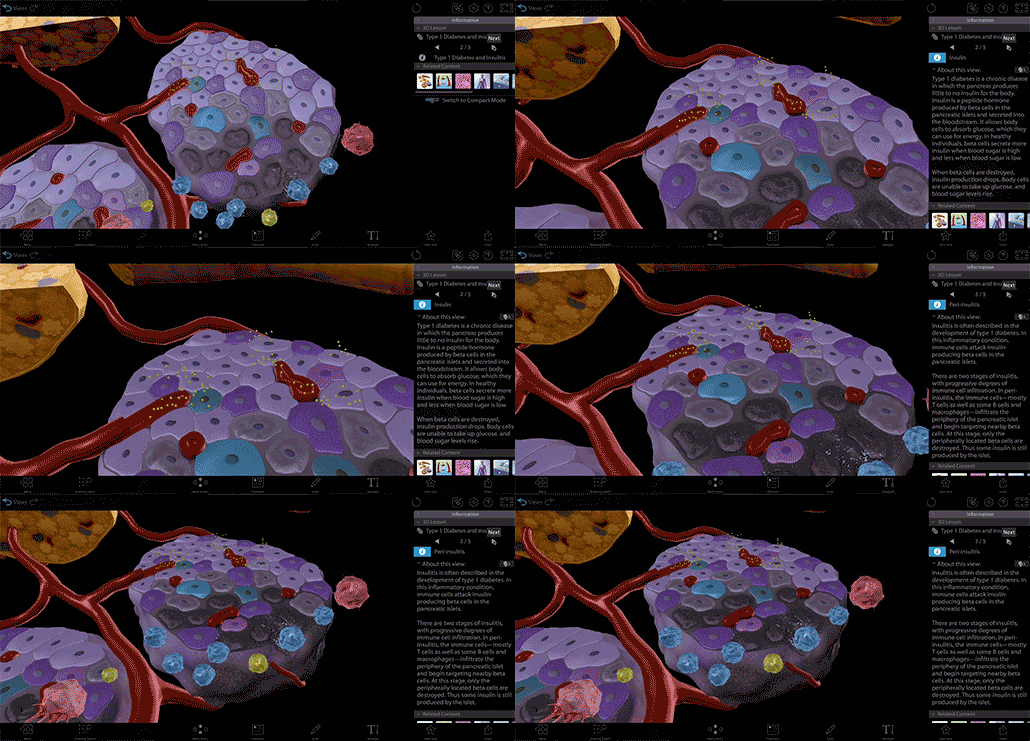 Video footage from Visible Body Suite.
How to use this lesson plan
The Courseware assignments used in this lesson plan are available for you to download and customize to your heart’s content! All you’ll need is your Courseware account (or a free instructor trial), then follow these three easy steps:
- Click on this link to add the lesson plan material to your Courseware account.
- In this new course, select the Diabetes folder, and click Copy. Choose the destination course and folder and click "Apply."
- Navigate to the course you copied the Diabetes folder to. You can then edit the release and due dates for the assignments and publish them. If you have Canvas deep integration set up, deploy to Canvas.
Pre-class assignment
Assignments in Visible Body Courseware keep students on track as they work through a sequence of 3D models (or animations, illustrations, and histology slides), which makes Courseware the perfect tool for a self-directed pre-class activity.
With the “Explore the Pancreas" and “Introduction to Type 1 Diabetes” assignments, students will use a variety of Visible Body resources to familiarize themselves with the anatomy of the pancreas and the basics of Type 1 Diabetes. Consider this an upgrade from the traditional before-class “reading” assignment.
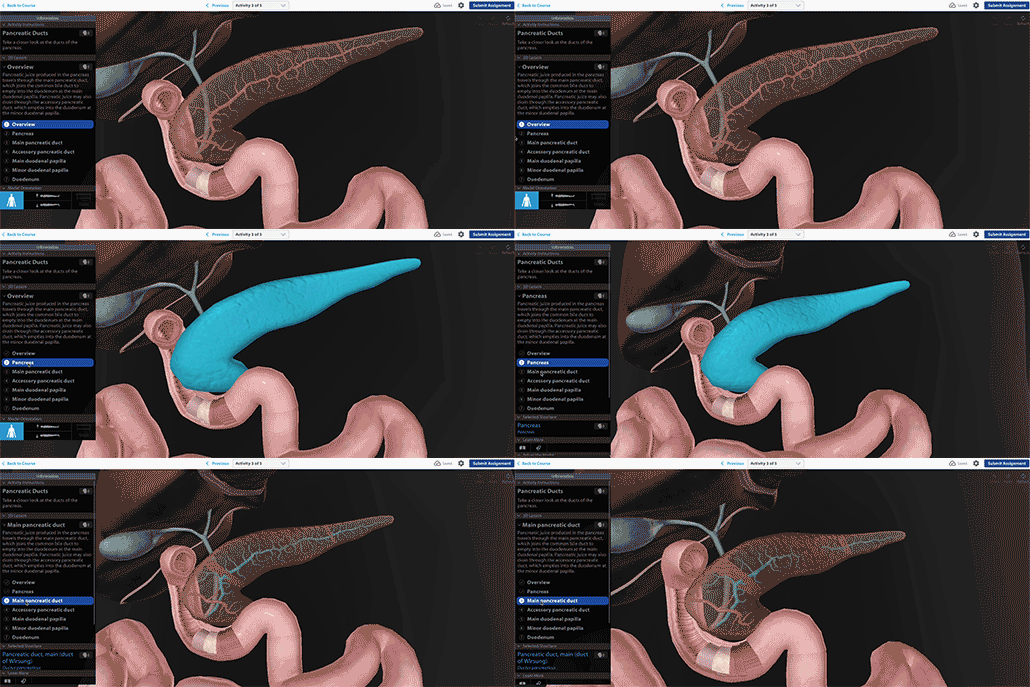 Video footage from Visible Body Courseware.
Students will walk through several interactive 3D models that put the pancreas in context as an accessory digestive organ and an endocrine gland. Then, they’ll check their knowledge with a structure identification (dissection) quiz and a multiple choice quiz. You can modify these quizzes to be graded or ungraded as you see fit. After that, they’ll move on to the Introduction to Diabetes assignment, which will link to an overview video on YouTube and an informational post on the Visible Body Blog. This should give them the resources they need to complete the classroom activities.
Lecture
The Type 1 Diabetes and Insulitis 3D lesson in Visible Body Suite is perfect to use alongside a lecture that describes both normal pancreatic function in producing insulin and what happens when that function is disrupted by diabetes. Scrolling through each view shows the progression of insulitis and how this attack on the pancreatic islets by immune cells affects the insulin-producing beta cells.
Highlight individual structures, like beta cells (in various states of damage), insulin, macrophages, B cells, and more, to give students a visual that they can’t get with the naked eye.
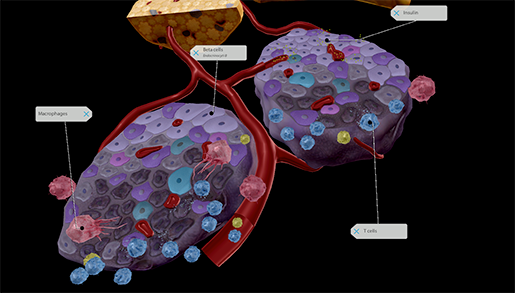 Image from Visible Body Suite.
You can use a computer and projector or a large interactive touch screen to present these 3D views to your students.
Diabetes Bingo
If you’re looking for an activity to help students remember the clinical details about type 1 diabetes, such as terminology and management strategies, diabetes Bingo is a fun and engaging way to get students involved.
Diabetes Education Services provides a great free Bingo game (DiaBingo), with questions spanning five categories: B=Basics, I=Internal Workings, N=Nutrition, G=Goals, and O=Oral Meds and Insulin. It’s available for download here.
You can also feel free to make your own Bingo game and questions customized to your curriculum.
Sketch notes
Here at Visible Body, we believe that explaining a physiological process to someone else is a great way to reinforce learning. That’s why we love “nontraditional” assignments that ask students to make their own presentations and educational videos, or create sketch notes.
What are sketch notes, you ask? Dr. Cindy Harley gives a great explanation in this blog post. Essentially, students can use their own drawing skills or the Draw Tool with visuals from Visible Body to design a poster or presentation explaining a particular topic or process. This activity can be done individually or in groups, either in or outside of class.
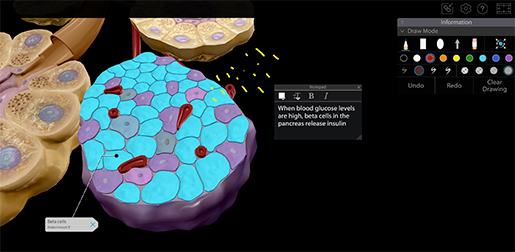 Students can use the Draw Tool in Visible Body Suite to make sketch notes.
Since this is a lesson about diabetes, there are a couple of options for sketch notes projects.
- Illustrate and describe the process of blood glucose regulation. Make sure to mention the roles of the brain, pancreas, and muscle cells.
- Illustrate and describe how insulin production is impaired in type 1 diabetes and what symptoms this causes in patients.
- Compare the different types of diabetes (type 1, type 2, and gestational).
Having trouble choosing just one of these? Different students or groups could even tackle slightly different topics and present their work to the rest of the class.
Homework
Lastly, for a brief review and assessment, we have the homework assignment. Using the same 3D visuals as the in-class lecture, the “Blood Glucose Regulation and Type 1 Diabetes” assignment in Visible Body Courseware will help students remember the physiology of blood glucose regulation and the pathology of type 1 diabetes before checking their understanding with a brief multiple choice quiz.
Additional resources
Want more Visible Body goodness? Here are some more resources and teaching tips for 3D-ifying your A&P classroom or lab!
- Explore Visible Body’s library of premade lab manuals.
- Get students moving with augmented reality lab activities.